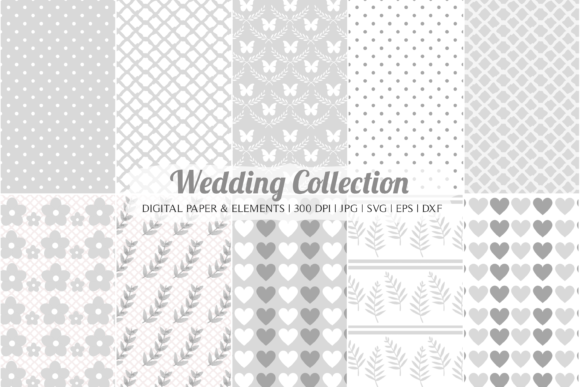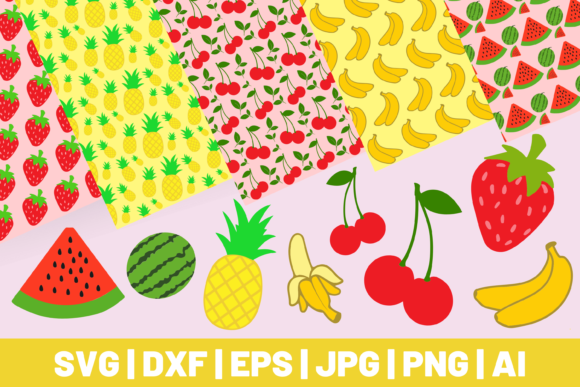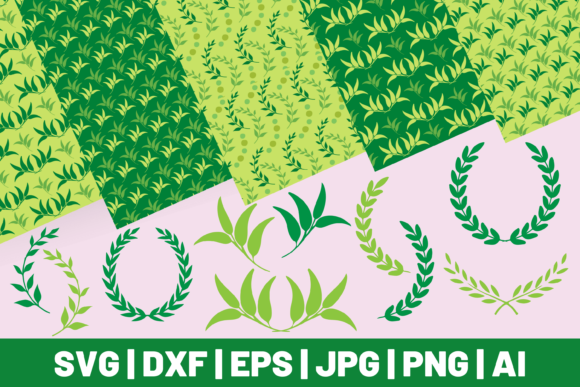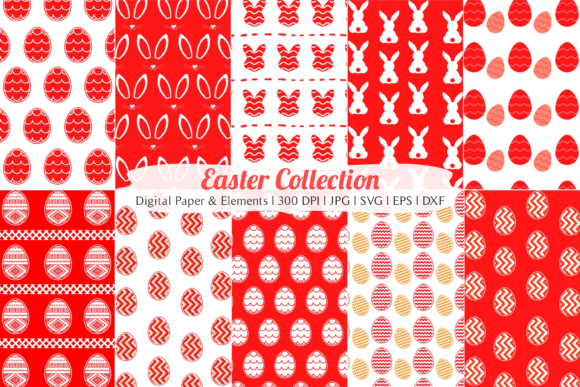
Easter Bundle Digital Paper JPG SVG DXF
Looking for a creative way to celebrate the Easter season? The Easter Bundle Digital Paper JPG SVG DXF offers a versatile and high-quality collection of digital files that can elevate your crafting, design, and DIY projects. Whether you're an experienced designer or just starting out, this bundle provides everything you need to create stunning Easter-themed visuals across multiple platforms.
What Is Included in the Easter Bundle?
This digital bundle is packed with 11 JPG files, 11 SVG files, 1 EPS file, and 1 DXF file. Each format serves a unique purpose:
- JPG Files: Perfect for quick print-and-use projects like cards, invitations, and scrapbooking pages. These are high-resolution (300 DPI) and sized at 12 x 12 inches, ideal for standard paper formats.
- SVG Files: Scalable Vector Graphics allow for easy resizing without losing quality. They’re great for use in Cricut, Silhouette, and other cutting machines, as well as graphic design software.
- EPS File: A professional vector format used by designers who need precision and scalability for commercial printing or large-format designs.
- DXF File: Designed for CAD applications, it’s especially useful for laser cutting or intricate craft work involving materials like wood, metal, or acrylic.
Why Choose This Bundle?
The Easter Bundle isn't just another set of graphics—it's a comprehensive toolkit for anyone interested in blending tradition with creativity. Here's what makes it stand out:
- Versatility: With four different file types, you can adapt the designs for almost any project, from simple printables to complex digital art.
- High Quality: All JPGs are 300 DPI, ensuring sharp, crisp prints every time—whether you're working on home decor or professional invitations.
- Ease of Use: The SVG and DXF files make it simple to cut, customize, and apply the designs using modern tools, even if you're new to digital crafting.
- Affordable Access: Instead of purchasing individual files or hiring a designer, get all these formats in one affordable package.
Creative Uses for the Easter Bundle
The possibilities are endless with the Easter Bundle. Here are some realistic ways people are using it today:
1. Scrapbooking & Journaling
Use the JPG files to add festive flair to your Easter photo albums or memory books. You can layer them behind photos, journal entries, or embellishments to give your pages a polished, professional look. For added texture, pair with SVG elements to create raised accents or cut-out shapes.
2. Invitations & Cards
Design custom Easter greetings, party invites, or thank-you notes using the JPG backgrounds. If you want to personalize the message further, SVG files let you cut out letters or decorative borders with ease. These make great additions to both handmade and digitally printed cards.
3. Graphic Design Projects
Graphic designers love this bundle for its clean lines and seasonal appeal. It’s perfect for creating social media templates, blog headers, or printable guides for Easter events. The EPS file ensures that your designs remain scalable and editable, so they look great in any size or format.
4. Decoupage & Decorative Crafts
Lovers of decoupage will find the JPG papers ideal for covering boxes, frames, or furniture with an Easter theme. You can also print the SVG elements separately and glue them onto surfaces for a layered, textured effect.
5. Fashion & Fabric Projects
With the right printer, you can transfer the digital paper onto fabric for Easter-themed apparel, tote bags, or aprons. The DXF files are especially handy for laser-cutting patterns into felt or leather for accessories like brooches or patches.
6. Covers & Bookmarks
Create personalized covers for journals, planners, or school notebooks. Or, design bookmarks with SVG cutouts and JPG backgrounds to offer as gifts or sell online. Both formats ensure durability and visual appeal when printed professionally.
7. DIY Home Decor
From Easter eggs to wall art, this bundle helps you make custom decorations. Print the JPGs for table runners or banners, and use SVG files to cut shapes for hanging ornaments or mobiles.
Perfect for Beginners and Pros Alike
If you're new to digital crafting, don’t worry—the Easter Bundle is beginner-friendly. Most of the files are plug-and-play compatible with popular design tools and cutting machines. Just open the SVG in your favorite software, adjust the colors or layout, and cut it out with your machine.
For professionals, the inclusion of EPS and DXF formats means you can integrate the designs into more advanced workflows. You can scale them for billboards, edit vector paths for custom typography, or export them for use in 3D modeling software.
How to Get Started
Here’s a simple guide to help you begin using the Easter Bundle:
- Download the files: Once purchased, you’ll receive a ZIP folder containing all the JPG, SVG, EPS, and DXF files.
- Choose your project type: Decide whether you need a printable background, a scalable design, or a precise vector for cutting.
- Open in your preferred tool: JPGs work in most image editors; SVGs fit into Cricut Design Space or Adobe Illustrator; EPS is ideal for Adobe products; and DXF is best suited for CAD programs or laser cutters.
- Edit and customize: Change colors, resize, or combine elements to suit your needs. The versatility of the formats allows for maximum flexibility.
- Print or cut: Whether you're printing on cardstock or cutting vinyl, the files are designed to work seamlessly with common tools and materials.
Things to Consider Before Purchasing
Before buying the Easter Bundle, here are a few things to keep in mind:
- Ensure you have the necessary software or hardware to use each file type. While JPGs are widely supported, SVGs require specific editing tools.
- Check the file resolution and size to confirm it meets your project requirements. At 12 x 12 inches and 300 DPI, these JPGs are excellent for most home printers and professional setups.
- Review the license agreement to understand how you can legally use the files. Some bundles may restrict commercial use, but many allow personal and small business applications.
Real-World Examples of Use
Let’s take a closer look at how real users are benefiting from the Easter Bundle:
- Personal Crafting: Sarah, a hobbyist crafter, uses the JPG files to create custom Easter baskets for her family. She prints them on kraft paper and adds SVG cutouts of bunnies and eggs for a cohesive design.
- Small Business Owner: Mark, who runs a boutique greeting card shop, incorporates the SVG and JPG files into his designs. He layers the SVG elements over JPG backgrounds to create a range of Easter cards that he sells online and in local markets.
- Event Planner: Lisa, an event planner, uses the EPS file to scale up the Easter themes for large banners and posters. She then pairs them with JPGs for smaller details like place cards and signage.
- Teacher or Educator: Ms. Thompson uses the digital paper to create engaging classroom activities for her students during the Easter season. From printable worksheets to decorated folders, the bundle brings joy and creativity to learning.
Where Can You Buy the Easter Bundle?
The Easter Bundle is available on various digital marketplaces like Etsy, Creative Market, and Cricut Design Store. When shopping, look for sellers who provide clear previews, licensing information, and compatibility details. Always check customer reviews to gauge the product's usefulness and quality before making a purchase.
Final Thoughts
The Easter Bundle Digital Paper JPG SVG DXF is more than just a collection of images—it's a resource for creativity, customization, and celebration. Whether you're planning an Easter party, teaching a class, or simply looking for a fun DIY project, this bundle gives you the tools to bring your vision to life with ease and professionalism.
So why wait? Explore the bundle today and start crafting something special this Easter. With the right mix of JPGs, SVGs, EPS, and DXF files, you'll be amazed at how much you can achieve with just a little imagination and the right resources.